
Ansible/Packer over WinRM can experience UAC Elevated rights issues if logged over the network.
To fix the issue:
# Set LocalAccountTokenFilterPolicy to 1
$token_path = "HKLM:\SOFTWARE\Microsoft\Windows\CurrentVersion\Policies\System"
$token_prop_name = "LocalAccountTokenFilterPolicy"
$token_key = Get-Item -Path $token_path
$token_value = $token_key.GetValue($token_prop_name, $null)
if ($token_value -ne 1) {
    Write-Host "Setting LocalAccountTokenFilterPolicy to 1"
    if ($null -ne $token_value) {
        Remove-ItemProperty -Path $token_path -Name $token_prop_name
    }
    New-ItemProperty -Path $token_path -Name $token_prop_name -Value 1 -PropertyType DWORD > $null
}
To better protect those users who are members of the local Administrators group, we implement UAC restrictions on the network. This mechanism helps prevent against loopback attacks. This mechanism also helps prevent local malicious software from running remotely with administrative rights.
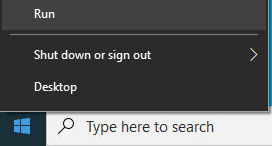
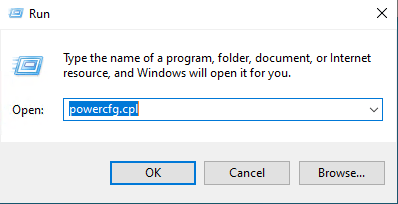
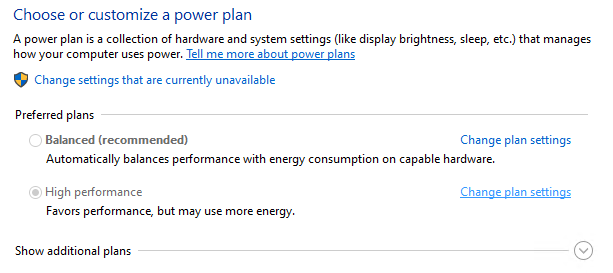
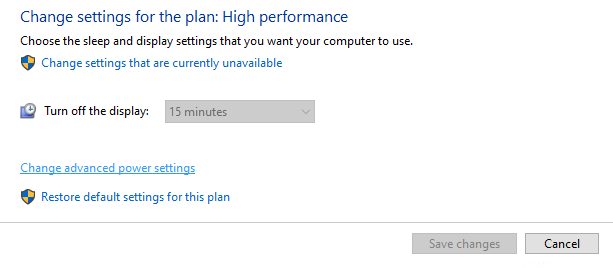
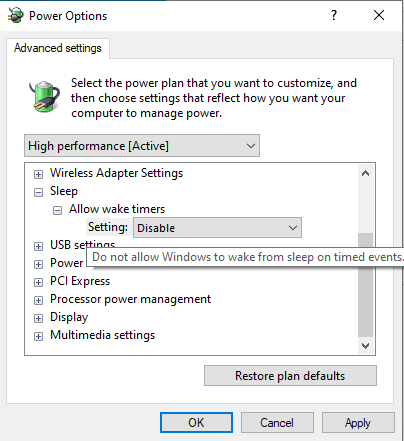
If you experience your Windows 10 machine wakes up from sleep you can disable this behavior following this manual.
TIP:
How to fix problem in the “DCOM: Machine Access Restrictions” and “DCOM: Machine Launch Restrictions”.
If you see pool of errors with DCOM 10024 in System log then proceed with followng steps to fix this:
Short guide How to audit manipulation with files and folders on Windows File Server.
1. First thing first you must configure Security policy to enable Auditing on machine:
During installation of new executable file may popup alert message: Error 1603: Fatal Error During Installation.
This solution is applicable only for Microsoft Terminal Services servers (+Citrix servers):
Resolution for “Windows Installer – The system administrator has set policies to prevent this installation.”
Description of DisableMSI: